

01Morning
Sell
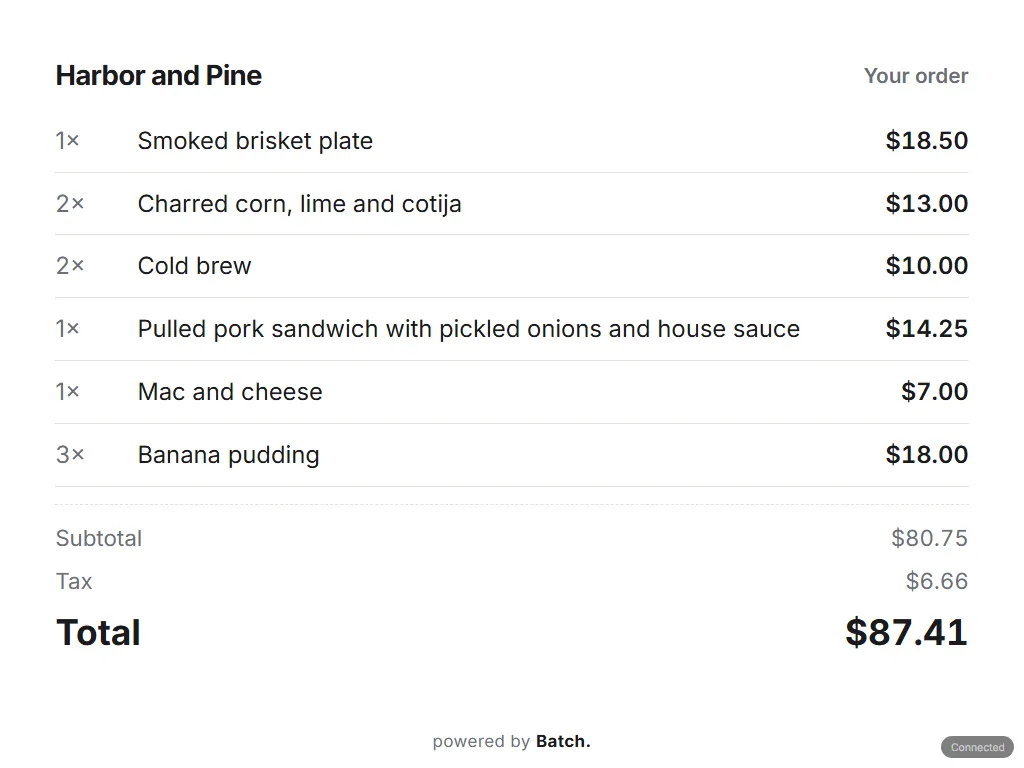
Items, modifiers, discounts and payment on one screen.
Point of sale, payments, your team and the books on one system, from your first sale to your hundredth location.
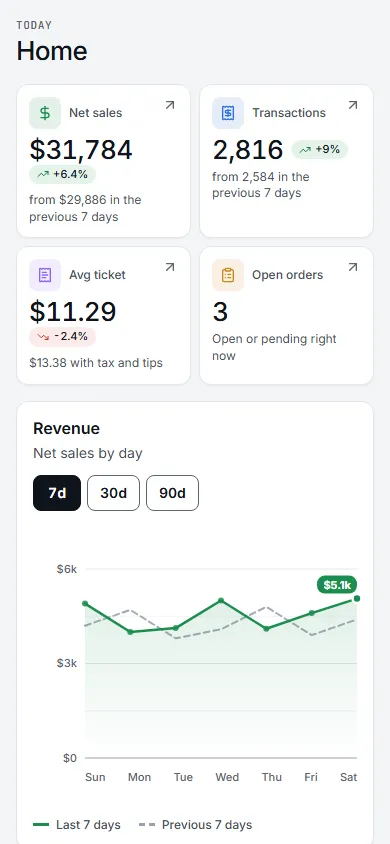
On Plus, the sale posts itself to the books. Nothing to export, nothing to re-key.
Why it’s hard
A register here. A booking app there. A time clock, a tip sheet, an inventory spreadsheet, accounting software, a loyalty app. Each has its own login and its own bill, and their numbers rarely match. By the end of the month you’re not running the business. You’re reconciling it.
13 separately billed tools become one system: One sign-in per person, One subscription, Shared records.
How it works
Sales, bookings, shifts and payments read the same customer and item records, so nothing needs exporting from one tool to another.
13 separately billed tools become one system: One sign-in per person, One subscription, Shared records.
A day on Batch
01Morning
Items, modifiers, discounts and payment on one screen.
02Midday
Tables, tabs, bookings and shifts stay up to date. Tickets fire to the kitchen display.

03Night
On Plus, each completed sale posts to the general ledger, so there is nothing to export or re-key.

The hard part of the day is running your business. Batch handles the rest.
And more
Plus covers the counter and back office, from inventory and staff schedules to the general ledger and email campaigns. Text messaging is coming soon.


Run your business
Your sales, reports, books and team permissions work together in Batch. Manage them from the same account.
01
Double-entry accounting, posted by the sale itself, on Plus.
02
The card is encrypted on the reader, and Batch never stores the card number.
03
Everyone from owner to front desk sees what their role allows.
04
Reports across every location, on Plus.
Grows with you
01
Open the doors with a register, payments and your menu or catalog.
02
Add staff, bookings, inventory and marketing as you need them, on the same system.
03
Add a location and it runs on the same system. Stock is counted location by location, roles apply across the business, and reports roll up over all of it.
One subscription covers the business, however many locations you run.
Built for how you work
Restaurants get tables and a kitchen screen, retail gets variants and purchase orders, and studios get a booking calendar.
Pricing
Plus starts at $149/mo for the whole business. We quote your hardware and card processing separately. No contract, no setup fee.
Text messages (coming soon) and AI usage are billed on what you use.
Compare every planPlus
Starts at
$149/mo
Point of sale, inventory and scheduling, with gross pay calculations, a general ledger and reports across locations.
Enterprise
Custompricing
For chains and high-volume operations. Quoted per business.
FAQ
For anything not listed here, ask the assistant on this page, or write to support@getbatch.net.
See every questionEvery plan is a monthly subscription for the whole business, and you process cards with Batch at the rate we quote you. Text messages (coming soon) and AI usage are billed on what you use. See pricing for the current Plus starting price. Ask for a quote for Enterprise.
Plus includes the register, in-person payments, floor and kitchen tools, inventory, schedules and reports. It also includes payroll preparation, the general ledger, loyalty, email campaigns and reports across locations. Text messaging is coming soon. Enterprise is for chains and high volume, and it is quoted.
We quote it against your volume. At that size the processing rate is the bigger number and it depends on what you run and your card mix, so we come back with the rate and the plan price together. There is no list price to quote you.
No long-term contract and no setup fee. Ask us for a quote if you need Enterprise.
Two things at the counter: the register your team rings on, and the customer-facing pad the card is read on. The pad also comes off the counter and keeps working on Wi-Fi or 4G, so you can take payment at the table, at the curb or at an event. Kitchen display and menu-board screens run on ordinary displays.
Batch calculates gross pay from tracked hours and pay rates and records tips for each employee. Complete payroll with your payroll provider. Batch does not pay employees, initiate direct deposits, or file or remit payroll taxes.
Yes. Payments, the floor, inventory, scheduling, team, marketing and the books work together in Batch. Turn on the parts you use and manage them under one subscription.
Batch does not store card numbers. The terminal encrypts the card at the reader, and the sale keeps the last four digits. Each person sees only what their role allows, and each business’s data is kept separate.
Ask us directly
Ask the assistant, or tell us how your business runs today.
Start with Batch today and run the whole business on one system.
Not sure which plan? Compare pricing


